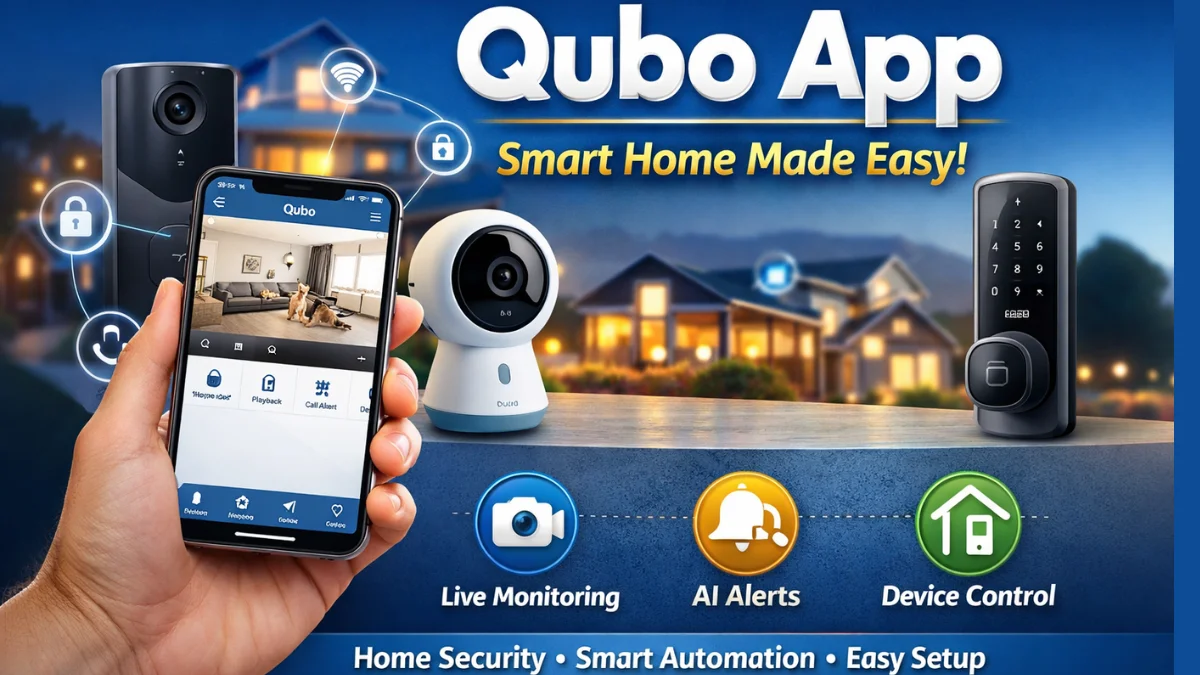
Are you planning to convert your home into a smart home? If yes, then the Qubo App by Hero Group is one of the best solutions available in India for smart home automation and security. The Qubo app acts as the central hub to control all Qubo smart devices like cameras, video doorbells, smart door locks, smart sensors, and more — directly from your smartphone.
In this guide, we will explore everything you need to know about the Qubo App, including how it works, its features, setup process, benefits, and common issues with solutions. Whether you are a beginner or an existing user, this blog will help you get the best out of the app.
What is the Qubo App?
The Qubo App is a mobile application designed to control and manage Qubo smart devices. It is available on both Android and iOS, and allows users to:
- View live camera feeds
- Receive instant motion alerts
- Control home appliances remotely
- Manage smart security systems
- Monitor home activity in real-time
📌 Highlight: The app uses AI-enabled video analytics, making it capable of detecting motions, intrusions, pets, kids, and unusual activities.
Key Features of the Qubo App
Here are the top features that make the Qubo app extremely useful:
1. Live View & Playback
Watch live video footage from your Qubo Camera and check recorded events directly from the app.
2. AI Smart Alerts
Real-time AI detection for:
- Person detection
- Face recognition
- Intruder alerts
- Baby cry detection (in selected models)
- Vehicle detection (in outdoor cameras)
📌 Important Point: Alerts can be customized to reduce unwanted notifications.
3. Smart Device Control
You can control devices like:
- Smart door locks
- Video doorbells
- Sensors (motion, smoke, gas)
- Smart plugs
- Smart lights
4. Cloud Storage & Local Storage
Video recordings are stored securely on the cloud or an SD card.
You can choose storage options as per your requirement.
5. Two-Way Communication
Talk and listen through cameras — ideal for baby monitoring, pets, and outdoor gate communication.
How to Download & Setup Qubo App (Step-by-Step)
Follow these steps to get started:
Step 1: Download the App
- Android: Open Google Play Store → Search “Qubo Smart App” → Install
- iPhone: Open App Store → Search “Qubo Smart App” → Install
Step 2: Create Account
- Sign up using Mobile Number or Email ID
- Verify with OTP
Step 3: Add Your Device
- Click “+ Add Device.”
- Choose your Qubo product (Camera/Doorbell/Lock/Sensor)
- Connect to Wi-Fi (2.4 GHz recommended)
📌 Important: The Qubo app does not support 5GHz WiFi for many models, so make sure your router has dual-band or 2.4GHz.
Step 4: Configure & Test
- Check camera angle
- Enable AI alerts
- Activate cloud storage if required
Benefits of Using the Qubo App
Using the Qubo app can improve your home’s safety and convenience. Some major benefits include:
| Benefit | Description |
|---|---|
| Remote Monitoring | Monitor your home from anywhere in the world |
| AI Protection | Real-time alerts for unusual activity |
| Family Sharing | Add multiple users to manage devices |
| Smart Automation | Set scenes, routines & schedules |
| Secure Recording | Cloud-based encryption |
📌 Highlight: The app supports Alexa and Google Assistant, so you can control devices using voice commands.
Common Issues & Quick Solutions
| Issue | Solution |
|---|---|
| App not connecting to device | Check Wi-Fi (2.4GHz) & reset the device |
| Delay in notifications | Enable background running & disable battery optimization |
| Camera offline | Check router location & signal strength |
| Cloud storage not working | Update app & re-login |
Is the Qubo App Worth It?
If you want a Made in India smart home security solution with easy setup and powerful AI features, then yes — the Qubo app is definitely worth it. It offers a complete ecosystem where all devices connect under a single app.
✔️ Suitable for homes, shops, offices & small businesses
✔️ Easy-to-use interface
✔️ Cost-effective compared to international brands
FAQ – Qubo App
1. Is the Qubo app free to use?
Yes, the app is free, but cloud storage and some premium services may require a subscription.
2. Can I use the Qubo app without internet?
No, the internet is required for remote access and live monitoring.
3. Does Qubo App support Alexa or Google Home?
Yes, it supports both Alexa and Google Assistant voice control.
4. Are Qubo devices waterproof?
Outdoor models are weatherproof, but indoor devices should be kept inside.
5. How many devices can I add in one account?
You can add multiple devices, depending on your internet capacity.
Final Words
If you are planning to upgrade your home with smart technology, then the Qubo App is a must-have. Its powerful features, real-time monitoring, and smart alerts make it a reliable choice for improving home security.
Start your smart home journey today with Qubo and transform your lifestyle!
Latest Post
- CCTV Cameras Can Be Hacked: How to Secure Your CCTV in 2026
- India’s CCTV Market Is Changing—Here’s What It Means for Hikvision, Dahua and Indian Brands
- Guanlan Encoding by Hikvision – Features, Benefits & Complete Guide (2026)
- HikTech Star Show 2026 – Complete Guide, Benefits, Registration & Tips
- Plugins for Eco Series – Download, Install & Fix Plugin Issues