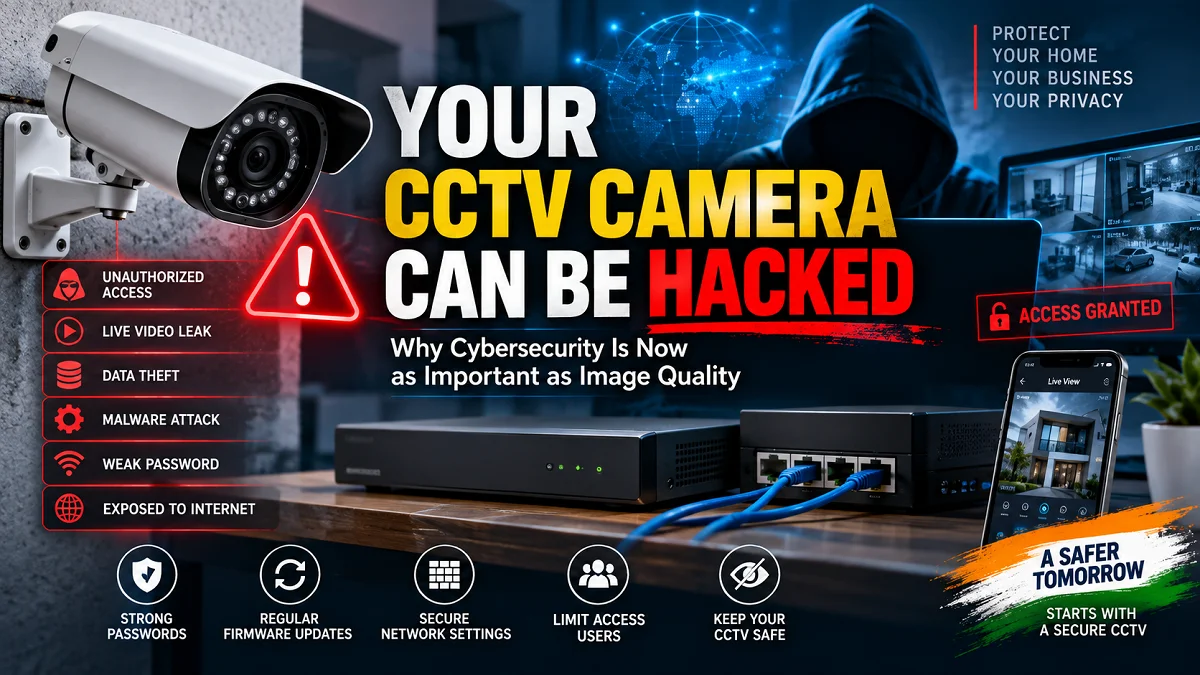
A CCTV camera is designed to protect your home, shop, or business—but if it is poorly secured, the camera itself can become a cybersecurity risk. Here’s how CCTV cameras get attacked and what installers and users can do to protect them in 2026.
When most people buy a CCTV camera, they usually ask the same questions:
How many megapixels?
How far can it see at night?
Does it support AI?
How much storage do I need?
These questions are important.
But in 2026, there is another question that deserves just as much attention:
How secure is the CCTV system itself?
Modern CCTV cameras are no longer simple recording devices. An IP camera is essentially a small networked computer. It has firmware, processors, network interfaces, user accounts, and, in many cases, internet or cloud connectivity.
That creates another side of CCTV security that many buyers and even some installers overlook: cybersecurity.
And this is not just a theoretical concern.
In July 2026, India’s Computer Emergency Response Team (CERT-In) published a Critical-severity vulnerability advisory for the CP PLUS EZ-P21 IP Camera. CERT-In reported vulnerabilities that could potentially allow arbitrary code execution and unauthorized access to live video snapshots. The affected version was v4.8.8.1 and prior, with CERT-In recommending an upgrade to firmware 4.8.16.1.
That incident provides an important lesson for the entire CCTV industry:
A camera can have excellent image quality and still be a security problem if its software and network configuration are not properly protected.
Why Is CCTV Cybersecurity Becoming So Important?
Traditional analog CCTV systems were relatively isolated.
A camera was connected to a DVR, the DVR recorded the footage, and the system could operate without being connected to the internet.
Modern IP surveillance systems are different.
A typical installation may look like this:
IP Camera → PoE Switch → Router → Internet → Cloud/P2P Service → Mobile App
Every additional connection can provide useful functionality—but it can also introduce additional security considerations.
Today’s CCTV systems may include:
- IP cameras
- NVRs
- PoE switches
- Wi-Fi cameras
- Mobile applications
- Cloud services
- Web interfaces
- Remote monitoring
- AI analytics
- Email notifications
- Network storage
- Third-party integrations
If one component is poorly secured, the entire surveillance environment can potentially be affected.
This is why cybersecurity should now be treated as part of CCTV system design, not as an optional extra.
A Real 2026 Example: The CP PLUS EZ-P21 Vulnerability
One of the clearest recent examples comes from CERT-In.
On July 27, 2026, CERT-In published vulnerability note CIVN-2026-0380 concerning the CP PLUS EZ-P21 IP Camera.
The advisory was rated Critical.
CERT-In identified two vulnerabilities:
1. Arbitrary Code Execution
The advisory identified CVE-2026-65893, associated with an insecure debug feature in the affected firmware.
CERT-In reported that an attacker with physical access could potentially place arbitrary code on removable media and trigger its execution through the debug mechanism.
Successful exploitation could allow code execution with elevated privileges.
2. Improper Authentication
The second vulnerability, CVE-2026-65894, involved improper authentication of HTTP endpoints.
According to CERT-In, a remote attacker could potentially exploit the affected HTTP endpoint through brute-force attacks and gain unauthorized access to live video snapshots.
What Was the Recommended Solution?
CERT-In recommended upgrading the affected CP PLUS EZ-P21 camera to firmware version 4.8.16.1 through OTA.
This is an important reminder for CCTV owners:
Firmware updates are not only about getting new features. They can also fix security vulnerabilities.
Another Recent Example: CP PLUS Wi-Fi Cameras
The EZ-P21 example is not the only recent CCTV security advisory.
In May 2026, CERT-In published another vulnerability note concerning several CP PLUS Wi-Fi camera models.
The affected models included:
- CP-E38Q
- CP-E48Q
- CP-E25Q
- CP-E35Q
- CP-E45Q
- CP-E28Q
- CP-E21Q
- CP-E31Q
- CP-E41Q
- CP-E24Q
- CP-Z43Q
- CP-E34Q
- CP-E44Q
- CP-T31Q
- CP-V48Q
- CP-V41Q
- CP-Z45Q
The affected firmware was v02.21.031 or below.
CERT-In reported that the vulnerability could expose sensitive information, including cryptographic private keys, Wi-Fi credentials, and configuration data. The recommended solution was to upgrade to v02.21.041 through the Ezykam+ application.
Again, the lesson is broader than one brand:
Every connected CCTV manufacturer needs a process for discovering, fixing, and communicating security vulnerabilities.

How Can a CCTV Camera Be Hacked?
There isn’t one single way.
The method depends on the camera, firmware, network configuration, and vulnerability involved.
Some common security weaknesses include:
1. Weak or Default Passwords
A camera with a weak administrator password is an obvious target.
If the installer leaves a default password or uses the same password across multiple installations, one compromised credential can create a much larger problem.
2. Outdated Firmware
Firmware vulnerabilities are one of the most important reasons to keep CCTV equipment updated.
A camera may work perfectly for years while still containing an old security vulnerability.
3. Exposed Internet Services
Some installations expose cameras or NVRs directly to the internet.
This can create unnecessary attack opportunities.
4. Poorly Configured Remote Access
Remote viewing is extremely useful.
But remote access should be configured securely rather than simply exposing management services to the public internet.
5. Insecure Network Configuration
A CCTV system connected directly to the same network as every computer, printer, and business device can increase the potential impact of a compromised device.
6. Vulnerable NVRs
The camera isn’t always the weakest point.
An NVR is also a network-connected computer and should receive the same security attention.
CERT-In has previously published a high-severity vulnerability involving CP PLUS NVR models, demonstrating that recorders can also contain exploitable software weaknesses.
Your CCTV Camera Is Also a Computer
This is probably the most important concept for CCTV users to understand.
A modern IP camera has:
Hardware + Firmware + Network + Authentication + Services
That means it needs security just like other network-connected devices.
The camera may contain:
- Linux or another embedded operating system
- Web services
- Network protocols
- Authentication mechanisms
- Storage
- Firmware
- APIs
- Wireless interfaces
- USB or serial interfaces
STQC’s security guidance for CCTV specifically identifies security-critical components such as the SoC, firmware, PCBA, network interface, and physical interfaces such as USB, UART, JTAG, and SWD as areas that can require security assessment.
So cybersecurity isn’t simply about setting a password.
It begins with the design and supply chain of the device itself.
What Is STQC Doing About CCTV Security?
India has also been moving toward stronger security requirements for CCTV products.
MeitY notified CCTV cameras under the Public Procurement (Preference to Make in India) Order (PPP-MII) for value-addition norms and compliance with security Essential Requirements.
CCTV cameras were also brought under the compulsory-registration framework for compliance with those security Essential Requirements, in addition to existing safety requirements.
STQC provides testing and certification mechanisms for CCTV security requirements.
Its current information states that CCTV cameras are one of the IoT product categories covered under the IoT System Certification Scheme and that security testing under the applicable Essential Requirements is relevant for the regulatory framework.
STQC’s current certified-product information lists network-camera products from multiple manufacturers, including Prama India, Matrix Comsec, Aditya Infotech, Samriddhi Automation, Honeywell International India, and others.
This is an important development because CCTV security is increasingly becoming a matter of formal product requirements and testing, not just a manufacturer’s marketing claim.
Why Firmware Updates Matter So Much
Many CCTV users install a camera and then forget about it.
The camera continues recording for years.
But the cybersecurity environment doesn’t remain the same.
New vulnerabilities can be discovered months or years after a product is launched.
That’s why professional installers should maintain a basic firmware-management process.
Before completing an installation, record:
- Camera model
- Firmware version
- NVR model
- NVR firmware version
- Installation date
- Administrator account information
- Network configuration
- Warranty information
Then periodically check whether the manufacturer has released security updates.
10 Things You Should Do to Secure Your CCTV System
1. Change the Default Password
Never leave the factory/default credentials unchanged.
Use a strong, unique administrator password.
Avoid passwords based on:
- Company name
- Shop name
- Phone number
- Address
- “admin123”
- “123456”
- Simple patterns
2. Don’t Use the Same Password Everywhere
The camera, NVR, router, and cloud account should not all share one password.
If one credential is compromised, using different passwords can limit the damage.
A password manager can make this much easier for installers managing multiple systems.
3. Keep Firmware Updated
Check the manufacturer’s official security advisory and firmware pages.
Do not install random firmware downloaded from unofficial websites.
Use the firmware intended for the exact model and hardware revision.
The recent CERT-In advisories involving CP PLUS cameras demonstrate why this matters.
4. Avoid Unnecessary Port Forwarding
One of the biggest mistakes in CCTV installations is exposing management services directly to the internet without understanding the security implications.
If remote viewing is required, use the manufacturer’s supported secure remote-access mechanism or a properly secured VPN/network architecture where appropriate.
The objective is simple:
Remote access should not mean unnecessary exposure.
5. Secure the NVR
Don’t secure the cameras and forget the recorder.
Change NVR credentials, update firmware, and restrict access to the management interface.
The NVR contains the recordings, configuration, and often credentials for the entire surveillance system.
6. Separate CCTV From Critical Business Devices
For business installations, consider network segmentation.
For example:
CCTV Network
↓
PoE Switch
↓
NVR
while keeping sensitive office systems on another network or VLAN where appropriate.
This can help reduce the potential impact if a surveillance device is compromised.
Network design should be based on the size and requirements of the installation.
7. Disable Unused Services
If a camera provides services or interfaces that are not required for the installation, consider disabling them where the manufacturer supports it.
A simple security principle is:
If you don’t need a service, don’t expose it unnecessarily.
8. Secure the Router
The CCTV system can be perfectly configured and still be exposed through a poorly secured router.
Installers should consider:
- Strong router password
- Updated router firmware
- Secure Wi-Fi
- Unnecessary remote administration disabled
- Firewall enabled
- Unnecessary port forwarding removed
9. Review User Accounts
Don’t give every employee administrator privileges.
Create appropriate user roles where supported.
For example:
Administrator → configuration and management
Operator → live view and playback
Viewer → limited viewing
This reduces unnecessary access.
10. Keep a CCTV Asset Register
For commercial installations, this is extremely useful.
Maintain a record containing:
| Item | Information |
|---|---|
| Camera | Model number |
| Firmware | Current version |
| NVR | Model number |
| NVR Firmware | Current version |
| IP Address | Internal IP |
| Installation Date | Date |
| Warranty | Expiry |
| Remote Access | Enabled/Disabled |
| Last Update | Date |
| Installer | Company/person |
This turns CCTV maintenance into a professional process instead of a reactive one.
Should You Disconnect Your CCTV From the Internet?
Not necessarily.
Internet connectivity can provide valuable features:
- Remote monitoring
- Mobile notifications
- Cloud backup
- Remote maintenance
- Off-site viewing
- Integration with other systems
The problem isn’t simply that the camera is connected to the internet.
The problem is how that connection is configured and secured.
A properly configured remote-access system can be useful.
An unnecessarily exposed camera with weak credentials and outdated firmware is a different story.
Is Cloud/P2P Remote Viewing Safe?
Cloud and P2P services can make CCTV installation much easier.
Instead of manually configuring port forwarding, users can often scan a QR code and access their camera remotely.
But “easy to use” does not mean “ignore security.”
Users should still:
- Use a strong account password
- Enable MFA/2FA when available
- Keep the app updated
- Keep camera firmware updated
- Review logged-in devices
- Remove old users
- Avoid sharing credentials
- Use official applications
The security of the account controlling remote access is just as important as the security of the camera.
What About Wi-Fi CCTV Cameras?
Wi-Fi cameras deserve additional attention because wireless connectivity introduces another communication layer.
For Wi-Fi CCTV:
- Use WPA2/WPA3 where supported
- Use a strong Wi-Fi password
- Avoid open networks
- Keep the router updated
- Separate IoT/CCTV devices from sensitive devices where practical
- Disable unnecessary wireless features
And remember that physical access can matter too.
The 2026 CERT-In advisory concerning several CP PLUS Wi-Fi cameras described a vulnerability involving access to the device’s UART interface and extraction of sensitive information from memory.
This demonstrates why physical security and cybersecurity can overlap.
CCTV Installers Have a Bigger Responsibility Now
The role of a CCTV installer is changing.
Previously, an installer could focus mainly on:
Camera + Cable + DVR/NVR + Power + Configuration
Today, professional installation should also consider:
Network + Authentication + Firmware + Remote Access + Cybersecurity + Maintenance
This is especially important for:
- Offices
- Schools
- Hospitals
- Banks
- Warehouses
- Factories
- Hotels
- Government buildings
- Retail chains
- Critical infrastructure
These environments may contain sensitive video and operational information.
Don’t Confuse Megapixels With Security
A common CCTV buying conversation looks like this:
“Is this camera 4MP or 8MP?”
That’s useful—but incomplete.
A better checklist is:
Image Quality
Night Performance
AI Analytics
Reliability
Cybersecurity
Firmware Support
Compliance
After-Sales Support
A camera that produces beautiful 4K footage but has poor security practices isn’t necessarily a good surveillance product.
What Should You Ask a CCTV Manufacturer?
Before selecting a camera for a large or important installation, installers should consider asking:
Security
- Does the camera support secure authentication?
- Are security updates provided?
- How are vulnerabilities disclosed?
- Is there a security advisory page?
- Does the product support encrypted communication?
Firmware
- How frequently is firmware updated?
- How long is the product supported?
- Can firmware be updated securely?
Supply Chain
- What security controls are used in the product supply chain?
- Are security-critical components documented?
Certification
- Does the applicable product have the required certification/testing?
- Which exact model numbers are covered?
- Which firmware version is covered?
These questions are increasingly important in professional surveillance projects.
What Does This Mean for CCTV Buyers in 2026?
For homeowners and small businesses, don’t panic.
You don’t need to throw away a perfectly working CCTV system simply because cybersecurity vulnerabilities exist.
Instead, follow a basic maintenance routine:
CCTV Security Checklist
☑ Change default passwords
☑ Update camera firmware
☑ Update NVR firmware
☑ Secure the router
☑ Avoid unnecessary port forwarding
☑ Enable MFA/2FA where available
☑ Remove unused users
☑ Use official mobile apps
☑ Review remote-access settings
☑ Keep a record of your equipment
☑ Replace unsupported equipment when necessary
☑ Ask your installer about network security
This small amount of maintenance can significantly improve the security posture of a CCTV system.
What Happens If You Never Update Your CCTV?
Imagine installing a camera in 2022 and never updating it.
It may still:
- Record video
- Show live view
- Send mobile notifications
- Work perfectly
From the user’s perspective, nothing appears wrong.
But during those years, researchers may discover vulnerabilities in the firmware.
An attacker may discover ways to bypass authentication, access information or exploit a network service.
The camera can appear completely normal while becoming increasingly outdated from a security perspective.
That’s why cybersecurity is different from ordinary hardware maintenance.
The Future of CCTV Is Cybersecurity + AI + Image Quality
CCTV technology is moving rapidly.
Cameras are becoming:
- Higher resolution
- More intelligent
- More connected
- More automated
- More cloud-enabled
- More AI-powered
But greater intelligence also means greater software complexity.
That makes cybersecurity increasingly important.
India’s current CCTV security framework reflects this changing reality. STQC’s security requirements cover not just the visible camera hardware but also security-related components and software considerations.
The future CCTV installer therefore needs to understand two worlds:
Physical Security
Camera + Lens + Mounting + Cabling + Storage
Digital Security
Firmware + Network + Authentication + Encryption + Remote Access + Updates
The best surveillance systems will need both.
Final Verdict
A CCTV camera is supposed to protect you.
But once that camera becomes a network-connected device, the camera itself needs protection too.
The recent CERT-In vulnerability advisories involving CCTV products show that this isn’t simply a theoretical concern. Vulnerabilities can affect cameras, NVRs, and wireless surveillance devices, and manufacturers may need to release firmware updates to address them.
For CCTV users, the message is simple:
Don’t judge a security camera only by how clearly it can see. Judge it by how securely it operates.
For installers, the message is even more important:
A professional CCTV installation should secure the network as carefully as it secures the physical premises.
In 2026, cybersecurity is no longer something that can be considered separately from CCTV.
It is part of CCTV.
Frequently Asked Questions
Can CCTV cameras really be hacked?
Yes. Network-connected CCTV cameras can contain software vulnerabilities or become exposed through weak credentials, insecure configurations, outdated firmware or vulnerable network services. CERT-In has published multiple advisories concerning vulnerabilities in CCTV cameras and NVRs.
Can someone access my CCTV camera remotely?
It is possible if the camera or its supporting services are improperly secured or affected by a vulnerability. Strong credentials, current firmware and secure remote-access configuration can reduce the risk.
Should I update my CCTV camera firmware?
Yes, when a legitimate firmware update is available for your exact model and hardware version. Security updates can fix vulnerabilities as well as add features.
Is CP PLUS CCTV unsafe?
It would be inaccurate to say that all CP PLUS CCTV products are unsafe. CERT-In has reported vulnerabilities affecting specific CP PLUS products and firmware versions, with recommended updates. The correct approach is to check your exact model and firmware rather than judging an entire brand based on one advisory.
Is Hikvision CCTV secure?
Security depends on the specific product, firmware, configuration, and deployment. CERT-In has previously published advisories involving vulnerabilities in multiple CCTV products, including Hikvision and other major manufacturers. Users should keep products updated and follow the manufacturer’s security guidance.
Is an NVR also vulnerable to hacking?
Yes. An NVR is a network-connected device and can contain vulnerabilities just like an IP camera. It should be updated and securely configured.
Should I expose my CCTV NVR directly to the internet?
Avoid unnecessary direct exposure. If remote access is required, use the manufacturer’s supported secure remote-access method or an appropriately secured VPN/network architecture.
How often should CCTV firmware be checked?
There is no universal interval for every manufacturer. A practical approach is to check the manufacturer’s security/firmware information periodically and whenever a security advisory affects your product.
Does STQC certification mean a CCTV camera can never be hacked?
No certification can guarantee that a device will never have a vulnerability. Certification and testing assure defined security requirements, but vulnerabilities can still be discovered later. Users must continue to update and securely configure their systems.
What is the most important CCTV cybersecurity step?
There isn’t one single step. Start with strong, unique credentials, current firmware, secure remote access, and proper network configuration.
Sources & Further Reading
- CERT-In – Critical vulnerabilities in CP PLUS EZ-P21 IP Camera
- CERT-In – Vulnerability in CP PLUS Wi-Fi Cameras
- CERT-In – Multiple vulnerabilities in CCTV IP cameras
- STQC – CCTV Security Essential Requirements and certification information
- STQC – Guidance on CCTV supply-chain security
Latest Post
- CCTV Cameras Can Be Hacked: How to Secure Your CCTV in 2026
- India’s CCTV Market Is Changing—Here’s What It Means for Hikvision, Dahua and Indian Brands
- Guanlan Encoding by Hikvision – Features, Benefits & Complete Guide (2026)
- HikTech Star Show 2026 – Complete Guide, Benefits, Registration & Tips
- Plugins for Eco Series – Download, Install & Fix Plugin Issues