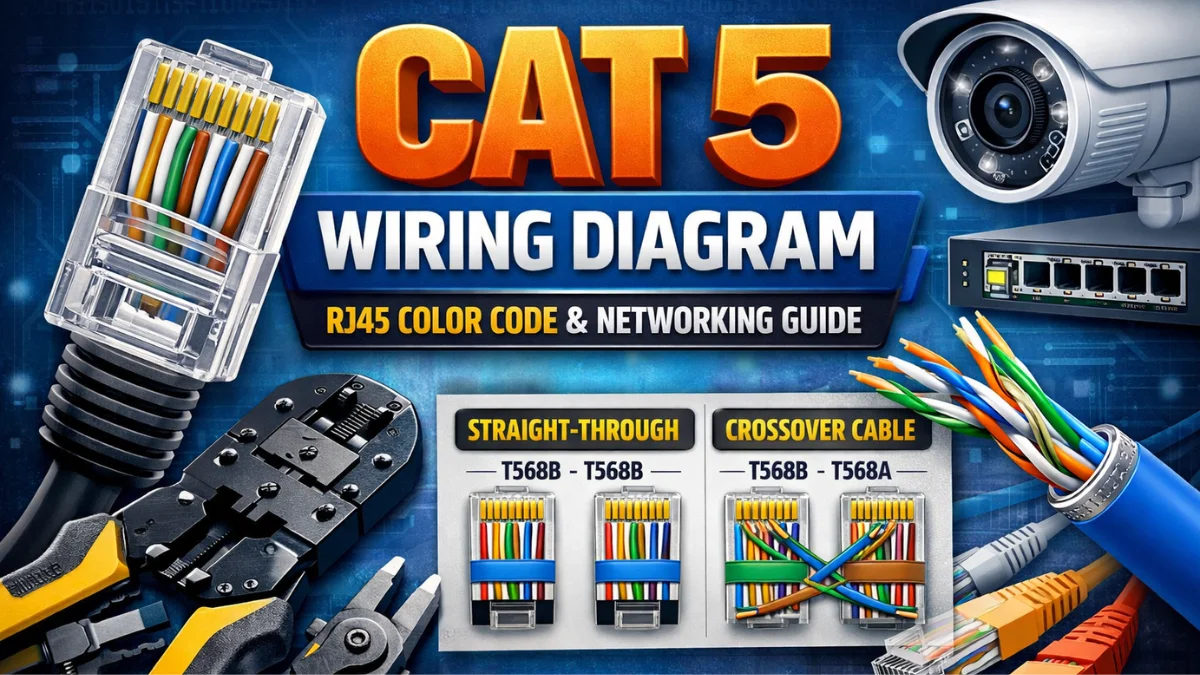
A Cat 5 wiring diagram is essential for anyone working with CCTV systems, IP cameras, routers, switches, or computer networks. Whether you are a CCTV installer, network technician, or beginner, understanding the correct RJ45 color code and wiring standard helps ensure stable connectivity, proper PoE power delivery, and long-term network reliability.
Cat 5 cables are widely used in CCTV camera installations because they support data transmission, Power over Ethernet (PoE), and network communication up to 100 meters. However, incorrect wiring can cause common problems such as camera offline issues, no network link, or frequent disconnections.
In this guide by Best CCTV Solution, you’ll learn:
- Cat 5 cable color codes
- T568A vs T568B wiring standards
- Straight-through and crossover wiring diagrams
- Best practices for CCTV and LAN installations
By the end of this article, you’ll be able to wire Cat 5 cables correctly and confidently for any CCTV or networking project.
What Is Cat 5 Cable?
Cat 5 (Category 5) cable is a twisted-pair Ethernet cable commonly used for:
- CCTV IP cameras
- LAN networking
- Routers, switches, NVRs
- Internet and data transmission up to 100 Mbps
It contains 4 twisted pairs (8 wires) and is terminated using an RJ45 connector.
Cat 5 Cable Color Code (Important)
A Cat 5 cable has 8 wires with specific colors:
| Pin | Wire Color (T568B) |
|---|---|
| 1 | White + Orange |
| 2 | Orange |
| 3 | White + Green |
| 4 | Blue |
| 5 | White + Blue |
| 6 | Green |
| 7 | White + Brown |
| 8 | Brown |
⚠️ Tip for CCTV Installers:
Always use the T568B standard — it is most commonly used in India for CCTV and networking.
Cat 5 Wiring Standards Explained

There are two wiring standards:
🔹 T568A
- Mostly used in government or old telecom projects
- Rarely used in CCTV installations
🔹 T568B (Recommended ✅)
- Used in CCTV, IP cameras, routers, switches
- Best for straight-through cables
👉 Best choice: T568B on both ends
Cat 5 Straight-Through Wiring Diagram (Most Used)

When to Use:
- Camera → Switch
- Switch → NVR
- Router → Switch
Rule:
👉 Same color order on both ends (T568B – T568B)
Cat 5 Crossover Cable Wiring Diagram


When to Use:
- Switch → Switch (old switches)
- PC → PC (direct connection)
⚠️ Note:
Modern switches support Auto-MDIX, so crossover cables are rarely needed today.
How to Crimp Cat 5 Cable (Step-by-Step)


- Cut the cable evenly
- Strip outer jacket (1 inch)
- Arrange wires as per the T568B order
- Insert into the RJ45 connector
- Crimp using a crimping tool
- Test with a LAN cable tester
Common Cat 5 Wiring Mistakes ❌
- Mixing T568A & T568B on straight cable
- Wrong wire order
- Poor crimping
- Untwisting pairs too much
- Using low-quality RJ45 connectors
👉 These mistakes cause the camera to go offline, packet loss, or no link light.
Cat 5 vs Cat 6 (Quick Comparison)
| Feature | Cat 5 | Cat 6 |
|---|---|---|
| Speed | 100 Mbps | 1 Gbps |
| Distance | 100 m | 100 m |
| CCTV Support | Yes | Yes (Better) |
| Cost | Lower | Higher |
✅ For normal CCTV: Cat 5 / Cat 5e is enough
✅ For future-proofing: Cat 6 recommended
FAQ – Cat 5 Wiring Diagram
Q1. Can Cat 5 cable be used for CCTV cameras?
Yes, IP CCTV cameras work perfectly with Cat 5 / Cat 5e cables.
Q2. Which wiring standard is best for CCTV?
T568B standard on both ends.
Q3. What happens if the wiring is wrong?
The camera may not power up, no network link, or there is frequent disconnection.
Q4. Maximum length of Cat 5 cable?
100 meters (328 feet) including patch cords.
Q5. Can Cat 5 support PoE cameras?
Yes, Cat 5 supports PoE (Power over Ethernet).
Final Expert Tip (From Best CCTV Solution)
For reliable CCTV installation:
- Use pure copper Cat 5e
- Follow T568B wiring strictly
- Always test the cable before installation
Latest Post
- CCTV Cameras Can Be Hacked: How to Secure Your CCTV in 2026
- India’s CCTV Market Is Changing—Here’s What It Means for Hikvision, Dahua and Indian Brands
- Guanlan Encoding by Hikvision – Features, Benefits & Complete Guide (2026)
- HikTech Star Show 2026 – Complete Guide, Benefits, Registration & Tips
- Plugins for Eco Series – Download, Install & Fix Plugin Issues